

See the plan behind your tasks
Mind map structure. Kanban flow. One connected plan.
Mind map structure
- GoalLaunch a startup
- Build a first version
- Draft the signup page
- Build the demo
Kanban workflow
Launch a startup Build a first version
Backlog
- Build the demo
Active
- Draft the signup page
A mind map helps you see how ideas fit together. A task board helps you move work forward. Faucus brings the two together: the same plan, seen by purpose or by status.
Every task has a why
Section titled “Every task has a why”Every task belongs to a goal or another task. Its parent explains what it helps you achieve. Break a project down into smaller tasks and concrete next steps, without losing that connection.
Use the tree to work out the plan, then the Board to choose and track the work. If a task doesn’t fit, ask what it supports before adding it.
Create your first goal
Section titled “Create your first goal”Open Faucus and choose Start planning. You don’t need an account. For quicker access later, you can add Faucus to your Dock or Home Screen.
On your first visit, you’ll see a sample plan. Explore it if you like, or choose Start my own in the sample banner to clear the plan and create your first goal. Only use this if you want to replace what’s there. If you’ve already started your own plan, use + Goal instead. On a phone, open the app’s ⋯ menu and choose New goal.
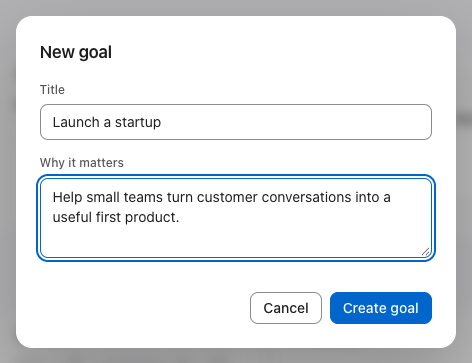
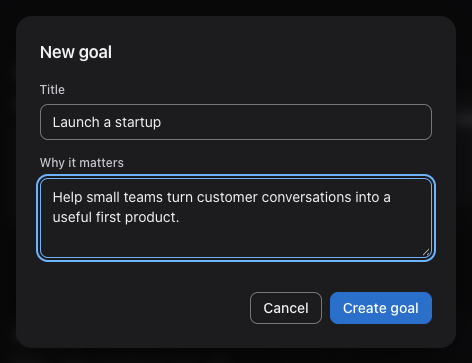
Call your goal Launch a startup. In Why it matters, you can add a few words about why you want to do it.
 Open full size (new tab)
 Open full size (new tab)
Work out the steps
Section titled “Work out the steps”Think about what needs to happen for the goal to succeed. Start with a few broad tasks, then break down the first one:
Example plan
- TaskCheck whether people need the product
- Write down the problem you want to solve
- Find five people who have that problem
- Arrange conversations with them
- TaskBuild a first version
- TaskFind the first customers
To put this example into your plan, add the three broad tasks in Outline, then break down the first one. You can use a keyboard or the touch controls.
You don’t need to map out the whole startup before beginning. Write down what you know, break down what needs attention, and fill in the rest as you learn.